December 05, 2020
What is LNURL? Deploy your own server for free.
Get your own LnUrl QR code so that others can easily pay you some sats over the lightning network and deploy it for free!

The Problem
One of both the biggest advantages and disadvantages of the Lightning Network is the need for an invoice to be able to pay someone.
On one side it's great because you know instantly the amount to be paid, to who it is directed and it comes with a description that let's you know what it's for. But on the other hand it's not a great user experience if every time you want to pay someone you need to personally ask this person or service to generate an invoice for you, of a specific amount, and then copy/paste it into your wallet of choice.
The Solution
To help with this bad user experience the LNURL protocol was developed. To keep it simple, this protocol specifies how a conversation has to happen between two servers in order to succesfully complete an action.
For example, the LNURL-Pay protocol specifies a conversation between someone that wants to get paid and someone that will pay. At the end of the conversation the succesfull action is that the payer succesfully paid the payee.
The magic here is that on the payee side, the server did everything automatically and on the payer side, he only needed to scan a single QR code, let it know the amount he wants to pay and that's it.
🕵️♂️ The only catch here is that the wallet must be LNURL enabled. You can find cool services, wallets and apps that have this functionality in this github repository.
Receiving Lightning donations online is a great example where this works perfectly. Having your own LNURL-Pay server running, let's anyone generate an invoice and pay you without you needing to do this manually.
Another awesome part is that you have a static QR code that never changes! So you can download your QR code, share it, print it or place it anywhere in both physical and virtual form! For example this is my own QR code, try scanning it with BLW, BlueWallet or any other LNURL enabled wallet.

To help with the process of deploying your own LNURL-Pay server I developed NextPay, a simple webapp that you can connect to your LND node, deploy and get a page like this.
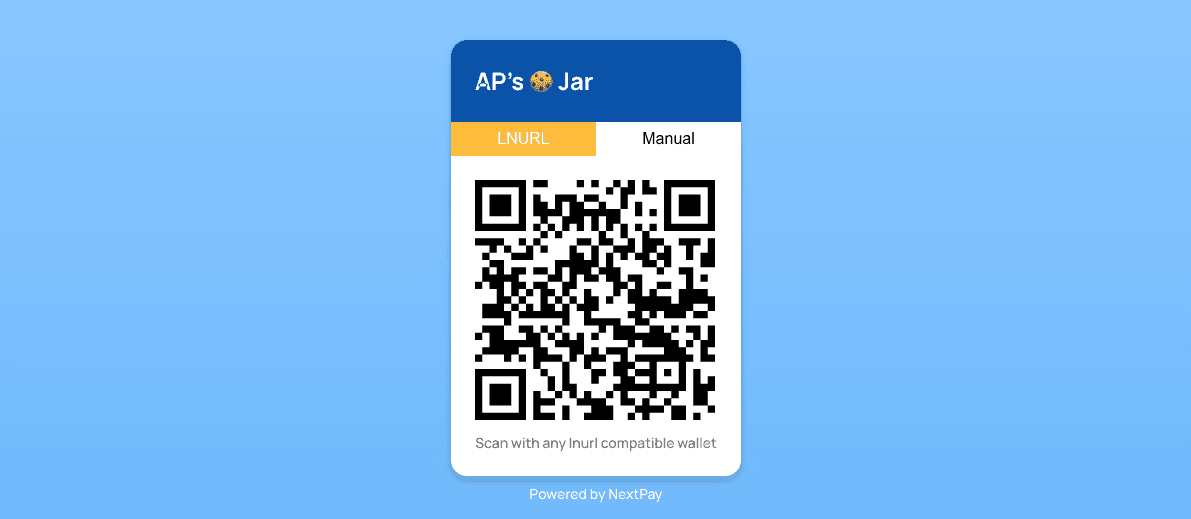
Continue reading on for a complete tutorial to deploy it for free 😎
Deploy NextPay
NextPay is built on top of NextJS and you can deploy it for free on Vercel (The developers and maintainers behind NextJS). Since it's free here, well, we might as well use it. So head on over and create an account on vercel.
⚠️ Before starting, remember to go to the NextPay repository and clone it to your own Github account.
Once inside Vercel, the first step is to import the NextPay project by clicking on the big black button that says Import Project
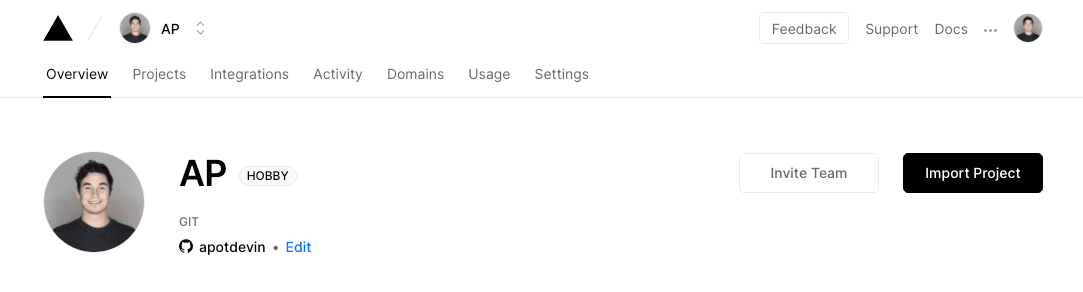
Select the Import Git Repository, give Vercel permissions to your Github account and connect it to the NextPay repository that you previously cloned.
Now, before clicking on Deploy, we first have to add some environment variables.
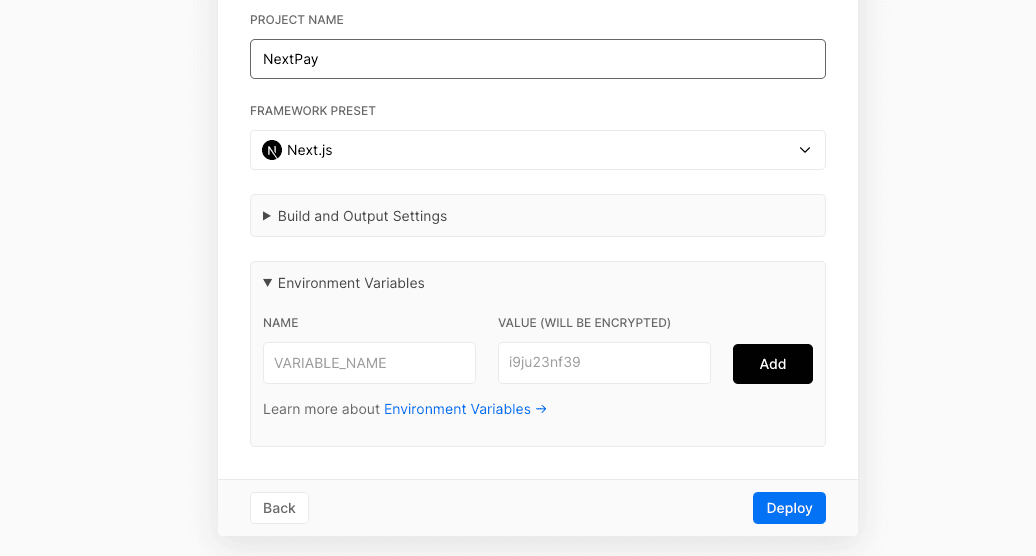
NextPay is expecting the following variables:
-
The
NAMEthat will appear on the card in the website. For example mine is "AP's 🍪 Jar" -
The
MAXamount of satoshis that someone can pay you -
The
MINamount of satoshis that someone can pay you -
The
LND_MACAROONof your LND node. Has to be HEX encoded.⚠️ Even though the environment variables are never exposed to the public, for peace of mind, preferably use an invoice-only macaroon.
-
The
LND_URLof your LND node. This is the REST endpoint where NextPay will connect to your node.⚠️ It must be reachable from the internet.
Add these 5 variables with the values that you want and click on deploy!
And that should be it, your very own NextPay server should now be up and running. Go to the url that Vercel provides to see your very own QR code (You can also add your own custom domain here).
Check out my own NextPay server hosted on Vercel.
Hope you've enjoyed! Ping me on Twitter with your NextPay website and I might just send some satoshis your way 😉